Isolated profiles and workspaces
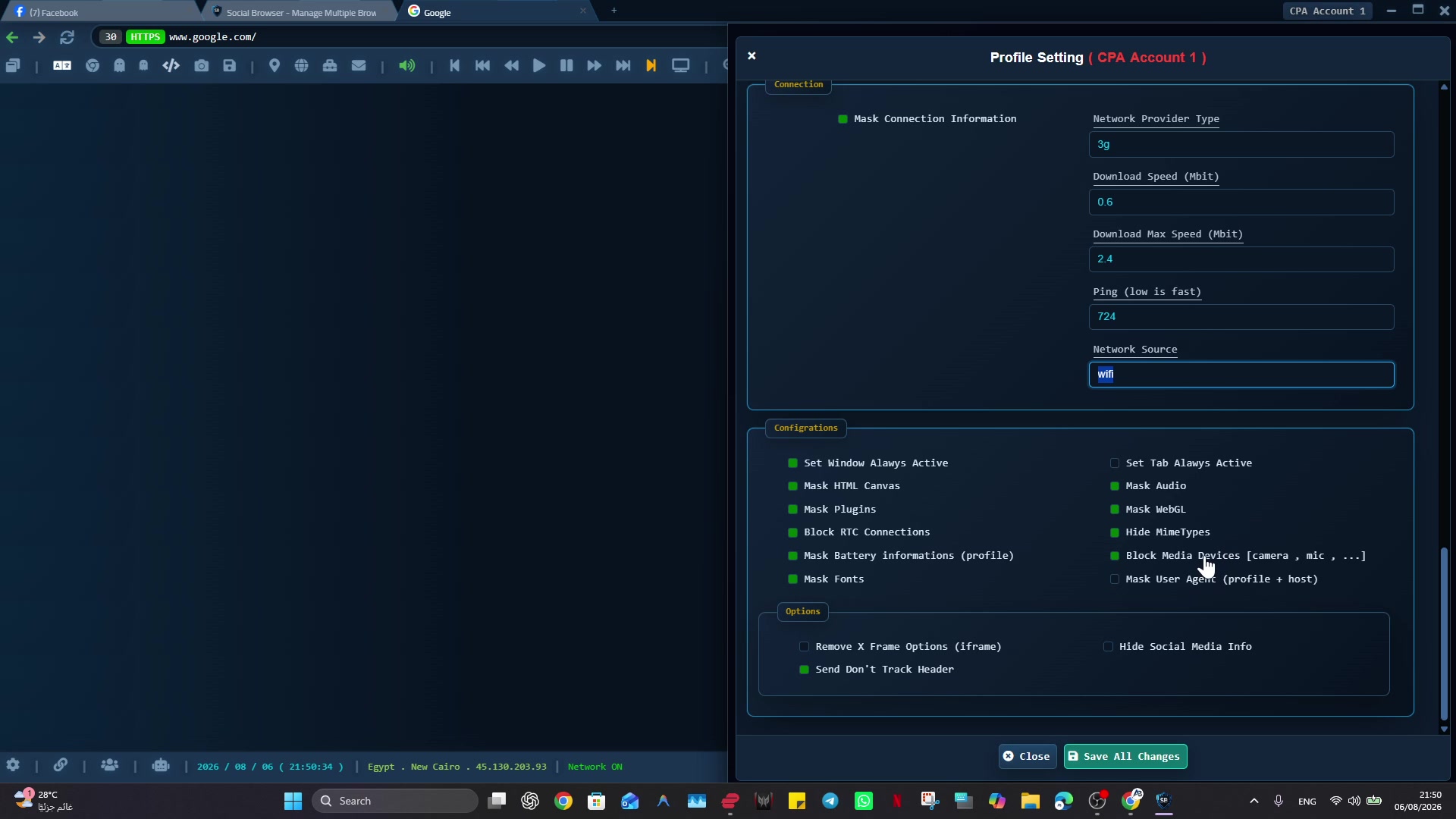
Profiles keep sessions, cookies, local storage, browsing state, and profile settings separated for organized workflows.
Social Browser is a Windows browser designed around separate profiles and workspaces, per-profile proxy configuration, browser automation, privacy controls, extensions, and organized multi-account workflows.
Profiles keep sessions, cookies, local storage, browsing state, and profile settings separated for organized workflows.
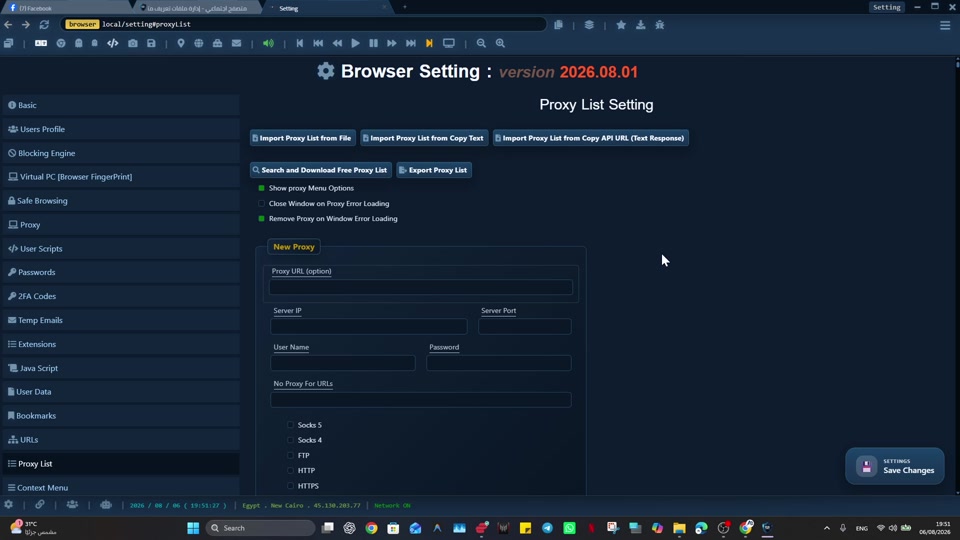
Users can configure their own proxy for an individual profile. Social Browser does not supply a proxy service.
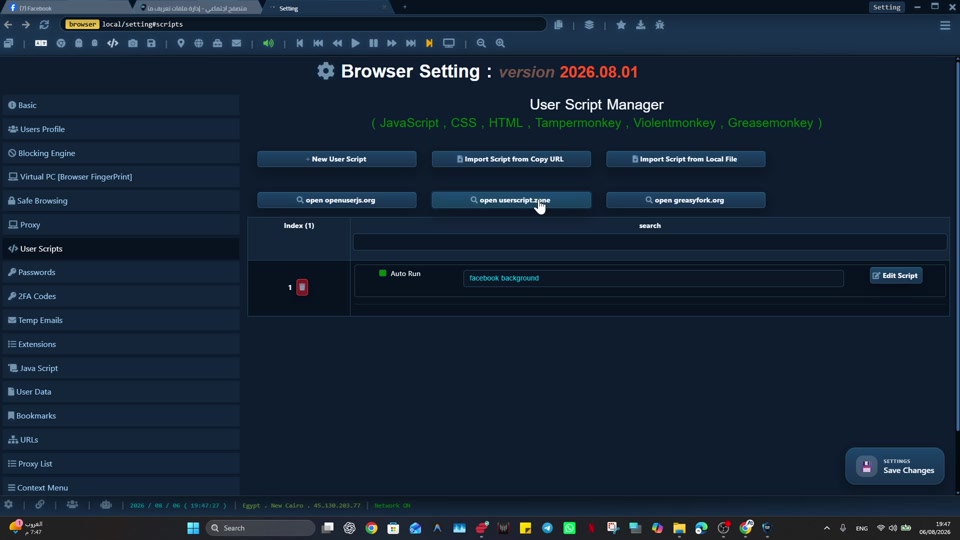
Browser and profile workflows can be extended with JavaScript automation and User Scripts for repetitive tasks.
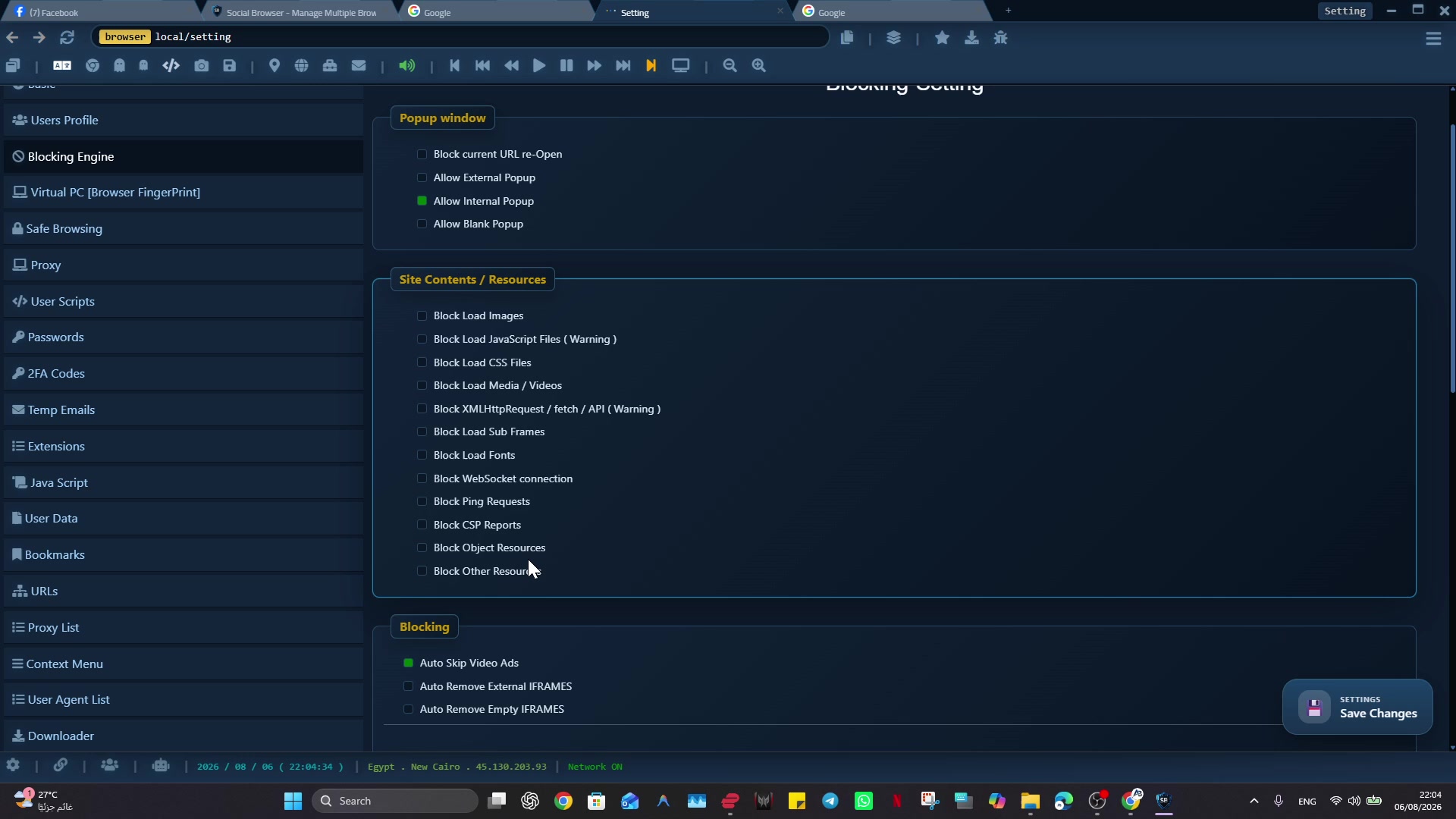
Browser and device-reported-property controls, blocking, safe-browsing, and related settings support configurable workflows without promising anonymity or evasion.
Social Browser supports browser extension workflows and developer-oriented controls, including custom scripts where supported by the product.
Review the real interface and profile workflow before getting in touch with the team.
These screenshots show current product areas and are provided for editorial reference. Select an image to view the full-size asset.
Creators can request access to test Social Browser independently. Depending on availability, the team may provide review/testing access or early access to selected upcoming features and releases. Tutorial resources and direct product feedback are welcome, and independent reviews are welcome - no positive review is required.
Use these official assets when covering Social Browser. Please preserve the logo and identify screenshots as Social Browser product images.
Official Social Browser logo in PNG format.
Download logoIndividual full-size screenshots are available in the gallery above for direct download or editorial reference.
Download sampleOfficial browser icon for listings and product references.
Download iconSocial Browser is a Windows multi-profile browser for keeping different browser profiles, sessions, cookies, storage, proxy choices, and profile settings separated. It includes tools for profile management, browser configuration, User Scripts, session transfer, blocking and safe-browsing controls, download management, and developer-oriented JavaScript options. Profile data is stored locally on the user's device, and users supply any proxies they configure.
Social Browser was founded by Amr Barakat. The project is developed by a global remote team.
Read the founder profileUse the official contact page to request review access, early access, product information, or a conversation with the team.