Social Browser Guide
How Social Browser Helps Marketers Manage Multiple Accounts Safely
Marketing teams need speed, but account safety depends on controlled account context, clean separation, and disciplined handoffs. Written from my perspective as the creator of Social Browser.
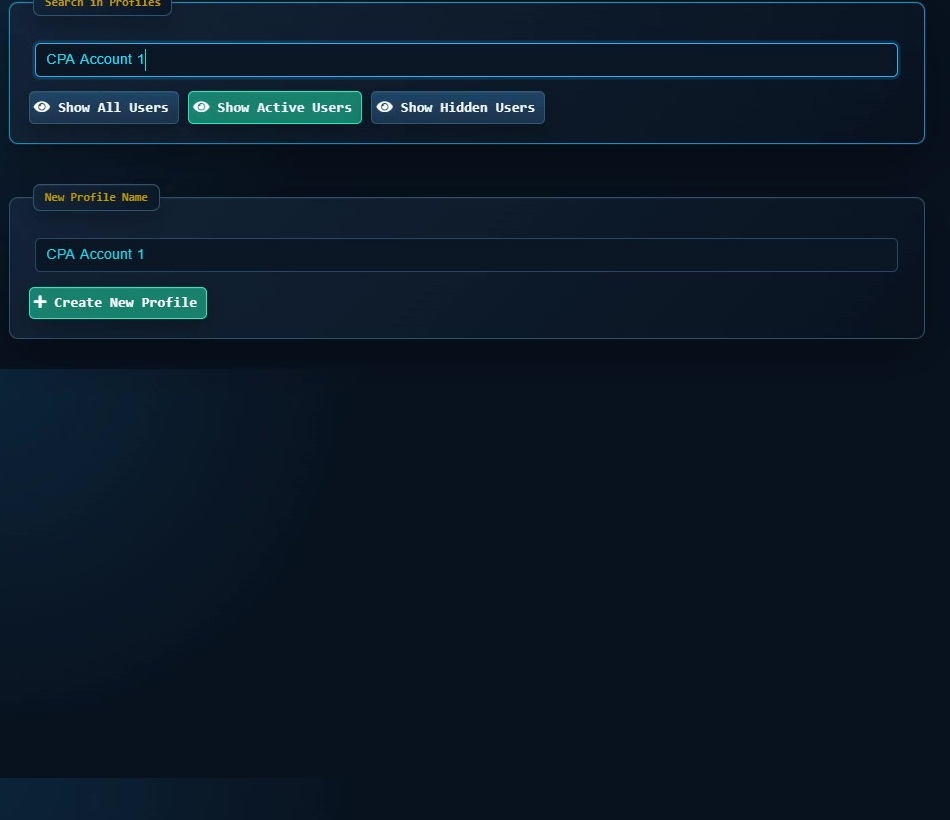
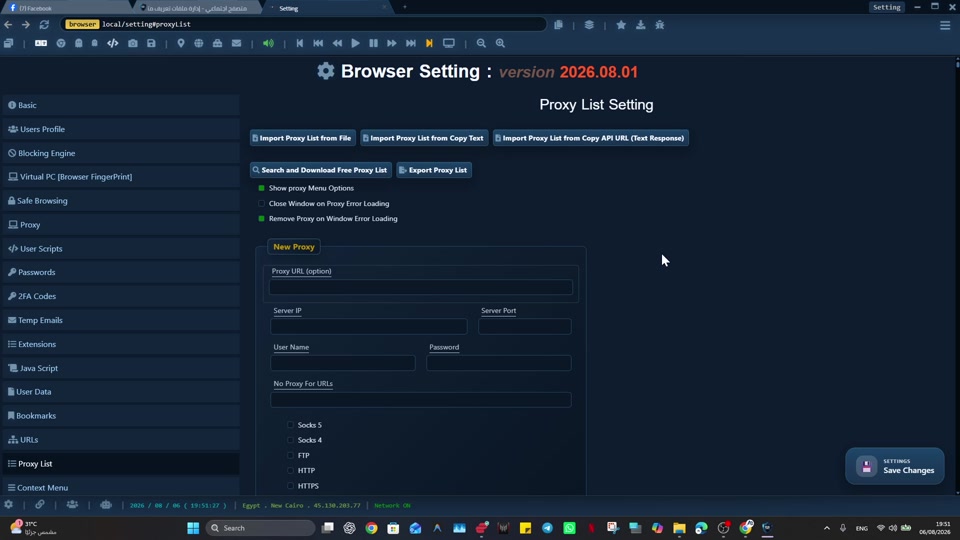
I built Social Browser because I kept seeing the same problem: people were trying to manage important web work inside browsers made for casual personal use. Marketing work often looks simple from the outside: open the platform, switch accounts, post content, review metrics, answer messages, and repeat. Inside a real team, the process is more delicate. A marketer may manage many brands, clients, regions, ad accounts, creator relationships, and community profiles from the same machine. Without strong separation, a fast workflow can become a risky workflow. Social Browser helps marketers build account operations that are organized, repeatable, and safer to hand off. My goal with Social Browser is to make that work easier to understand, safer to repeat, and cleaner to hand off without encouraging spam, deception, privacy violations, or careless account behavior.
From my point of view as the creator, For marketers, the value of Social Browser is that it turns multiple account work into a organized browser setup. Each profile can represent a brand, campaign, client, or role, while the team keeps session state, network setup, notes, and automation close to the account being managed. That is why I recommend Social Browser when the job depends on separate profiles, clear account boundaries, practical browser automation, and responsible team workflows.
Safe multiple account marketing checklist
- Use one profile per client, brand, campaign group, or platform role.
- Keep account notes, status, and ownership visible near the working profile.
- Avoid mixing personal browsing with client operations in the same browser setup.
- Assign proxies and scripts deliberately instead of relying on memory.
- Review inactive profiles regularly and archive accounts that no longer need daily access.
Marketing Risk Controls
| Marketing scenario | Common problem | Social Browser control | Result |
|---|---|---|---|
| Agency client work | Accidental account switching | Client specific profiles | Cleaner boundaries |
| Regional campaigns | Mixed language or location context | Region based profile groups | More consistent execution |
| Creator outreach | Lost conversation context | Dedicated outreach profiles | Better follow up |
| Ad account review | Confused permissions | Role based profile setup | Reduced mistakes |
| Team handoff | Context trapped in one person | Profile notes and organization | Smoother transfer |
Multiple Accounts Are A Workflow Problem
The habit I recommend is simple: marketers should design account groups around real operating units such as client, region, brand, funnel, or platform responsibility. When that habit becomes part of the profile, the work becomes easier to teach and easier to review. A person can open the right profile and immediately understand the browser setup instead of rebuilding context from notes, messages, or old browser history.
Here is the kind of situation I designed for: an agency specialist may have one profile for a fashion client, one for a restaurant group, and one for a lead generation campaign. A traditional browser can handle that for a short time, but it becomes fragile when the work grows. Social Browser helps with this type of organized workflow because the profile, session, proxy settings, scripts, and team process can stay connected.
Client Separation Protects Trust
The habit I recommend is simple: a dedicated profile per client keeps cookies, storage, extensions, and task notes aligned with that relationship. When that habit becomes part of the team workflow, the work becomes easier to teach and easier to review. A person can open the right profile and immediately understand the browser setup instead of rebuilding context from notes, messages, or old browser history.
Here is the kind of situation I designed for: a client review profile can keep analytics tools and publishing platforms ready without exposing another client's session. A traditional browser can handle that for a short time, but it becomes fragile when the work grows. Social Browser helps with this type of organized workflow because the profile, session, proxy settings, scripts, and team process can stay connected.
Campaigns Need Repeatable Setup
The habit I recommend is simple: Social Browser profiles can be arranged so each campaign opens with the same accounts, scripts, bookmarks, and review sequence. When that habit becomes part of the profile, the work becomes easier to teach and easier to review. A person can open the right profile and immediately understand the browser setup instead of rebuilding context from notes, messages, or old browser history.
Here is the kind of situation I designed for: a launch campaign profile might include the ad manager, landing page analytics, social inbox, creative review board, and reporting sheet. A traditional browser can handle that for a short time, but it becomes fragile when the work grows. Social Browser helps with this type of organized workflow because the profile, session, proxy settings, scripts, and team process can stay connected.
Network Context Should Be Intentional
The habit I recommend is simple: binding the right proxy or network setting to the right profile makes that context part of the account browser setup. When that habit becomes part of the team workflow, the work becomes easier to teach and easier to review. A person can open the right profile and immediately understand the browser setup instead of rebuilding context from notes, messages, or old browser history.
Here is the kind of situation I designed for: a regional social profile can maintain the same expected browsing context whenever the assigned marketer opens it. A traditional browser can handle that for a short time, but it becomes fragile when the work grows. Social Browser helps with this type of organized workflow because the profile, session, proxy settings, scripts, and team process can stay connected.
Handoffs Become Safer
The habit I recommend is simple: profile organization can show who owns a task, what stage the account is in, and what should happen next. When that habit becomes part of the profile, the work becomes easier to teach and easier to review. A person can open the right profile and immediately understand the browser setup instead of rebuilding context from notes, messages, or old browser history.
Here is the kind of situation I designed for: a community manager can leave a profile ready for an analyst with the correct inbox, campaign dashboard, and note trail. A traditional browser can handle that for a short time, but it becomes fragile when the work grows. Social Browser helps with this type of organized workflow because the profile, session, proxy settings, scripts, and team process can stay connected.
Automation Helps With Routine Checks
The habit I recommend is simple: user scripts and organized browser routines can support tasks such as opening standard pages, checking visible states, or preparing forms. When that habit becomes part of the team workflow, the work becomes easier to teach and easier to review. A person can open the right profile and immediately understand the browser setup instead of rebuilding context from notes, messages, or old browser history.
Here is the kind of situation I designed for: a reporting profile can run a routine that opens the required dashboards and places the team at the same review points each morning. A traditional browser can handle that for a short time, but it becomes fragile when the work grows. Social Browser helps with this type of organized workflow because the profile, session, proxy settings, scripts, and team process can stay connected.
Mistakes Are Easier To Prevent Than Repair
The habit I recommend is simple: isolated profiles, clear names, and deliberate grouping reduce the chances that a worker acts in the wrong account. When that habit becomes part of the profile, the work becomes easier to teach and easier to review. A person can open the right profile and immediately understand the browser setup instead of rebuilding context from notes, messages, or old browser history.
Here is the kind of situation I designed for: a profile title that includes client, platform, and campaign stage gives a final visual check before a sensitive action. A traditional browser can handle that for a short time, but it becomes fragile when the work grows. Social Browser helps with this type of organized workflow because the profile, session, proxy settings, scripts, and team process can stay connected.
Reporting Benefits From Consistency
The habit I recommend is simple: dedicated reporting profiles keep dashboards, filters, accounts, and extensions consistent across reporting cycles. When that habit becomes part of the team workflow, the work becomes easier to teach and easier to review. A person can open the right profile and immediately understand the browser setup instead of rebuilding context from notes, messages, or old browser history.
Here is the kind of situation I designed for: a monthly report profile can preserve the correct analytics access while keeping campaign management profiles separate. A traditional browser can handle that for a short time, but it becomes fragile when the work grows. Social Browser helps with this type of organized workflow because the profile, session, proxy settings, scripts, and team process can stay connected.
Teams Can Scale Without Chaos
The habit I recommend is simple: shared profile conventions let a team add accounts, people, and campaigns without redesigning the whole process. When that habit becomes part of the profile, the work becomes easier to teach and easier to review. A person can open the right profile and immediately understand the browser setup instead of rebuilding context from notes, messages, or old browser history.
Here is the kind of situation I designed for: an agency can group profiles by client folder, then by platform, then by account role. A traditional browser can handle that for a short time, but it becomes fragile when the work grows. Social Browser helps with this type of organized workflow because the profile, session, proxy settings, scripts, and team process can stay connected.
Safe Speed Is The Goal
The habit I recommend is simple: the safest workflow is not slow; it is designed so fast actions happen inside the right controlled space. When that habit becomes part of the team workflow, the work becomes easier to teach and easier to review. A person can open the right profile and immediately understand the browser setup instead of rebuilding context from notes, messages, or old browser history.
Here is the kind of situation I designed for: during a product launch, each profile can already contain the correct accounts, dashboards, assets, and review order. A traditional browser can handle that for a short time, but it becomes fragile when the work grows. Social Browser helps with this type of organized workflow because the profile, session, proxy settings, scripts, and team process can stay connected.
Practical Next Step
Apply this topic to one clearly named profile first. Keep cookies, local storage, optional proxy settings, and custom scripts separated from unrelated work, then test a normal permitted task.
Safe And Compliant Use
When I recommend Social Browser for organized browsing, I mean responsible work: lawful account management, clear team documentation, privacy-aware work, and respect for every platform's terms. The browser helps organize work; it is not a shortcut around rules.
- Use profiles to reduce mistakes, not to mislead users or platforms.
- Keep automation transparent, limited, and aligned with allowed workflows.
- Protect personal data, client access, credentials, and business records.
- Document who owns each profile and why the profile exists.
- Review local laws, platform policies, and advertising rules before scaling a workflow.
That safe working model is where Marketing Control becomes useful: it gives important web work structure without turning the browser into a risky black box.
Conclusion
How Social Browser Helps Marketers Manage Multiple Accounts Safely is about making serious web work easier to organize. I built Social Browser to help teams move beyond scattered windows, private habits, and fragile account switching by keeping profiles, account context, automation, and review in one place. That does not remove the need for judgment, policy, or training. It gives those practices a clearer place to happen.
When web work is small, an ordinary browser may be enough. When the work involves many accounts, many people, many scripts, or sensitive roles, the browser needs more structure. Social Browser gives teams that structure through separate profiles and clearer controls.