Social Browser Guide
Why Social Browser Is More Than a Standard Browser
Modern web work needs separate profiles, repeatable setup, team handoffs, browser automation, and clear review in one place. Written from my perspective as the creator of Social Browser.

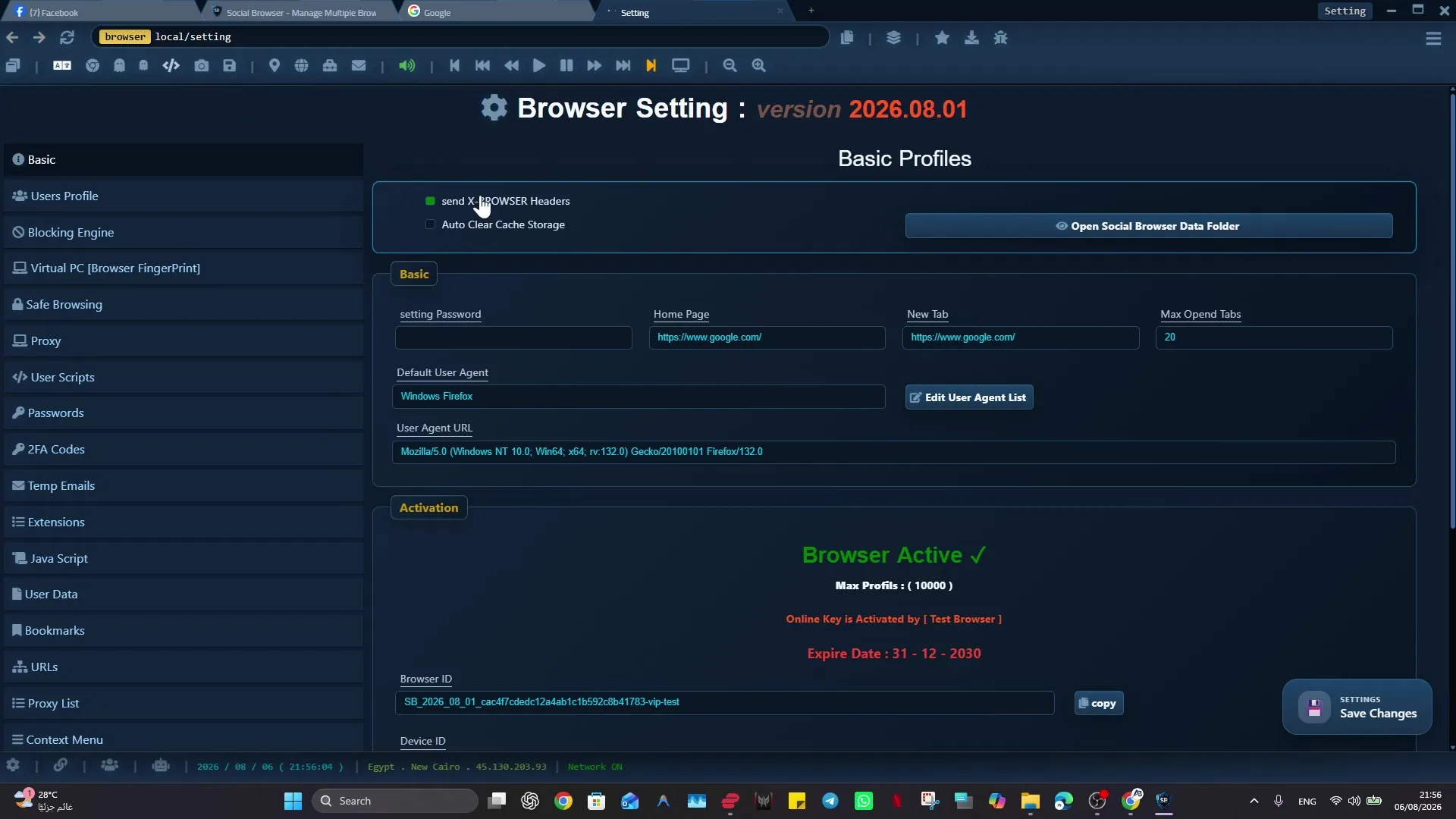
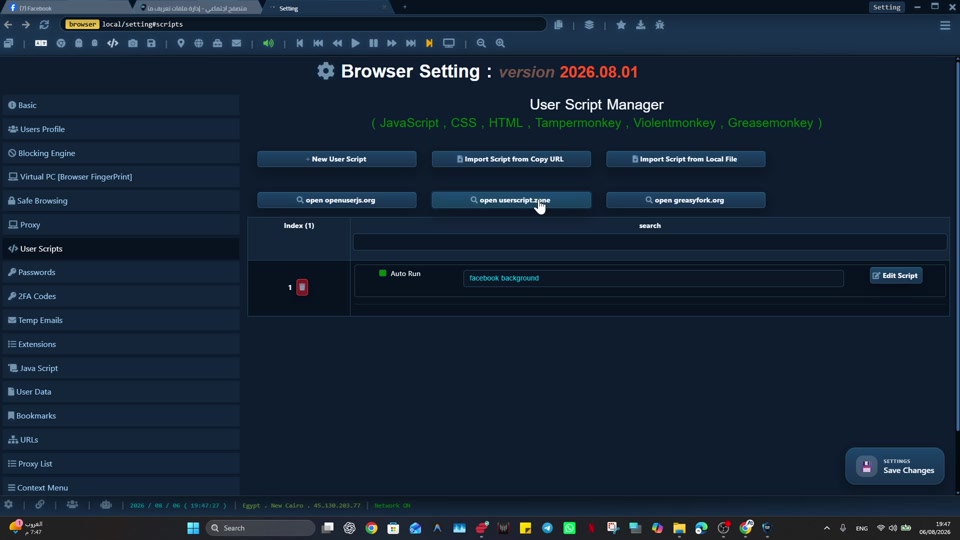
I built Social Browser because I kept seeing the same problem: people were trying to manage important web work inside browsers made for casual personal use. A normal browser is excellent for reading, searching, buying, watching, and moving through the public web as one person. Social Browser serves a different kind of need. It is designed for people who treat the web as a workplace, where every profile, session, account, proxy, and script must be controlled with intention. When those pieces are managed separately, digital work becomes fragile. When they are managed together, the browser becomes the place to manage the work for the entire workflow. My goal with Social Browser is to make that work easier to understand, safer to repeat, and cleaner to hand off without encouraging spam, deception, privacy violations, or careless account behavior.
From my point of view as the creator, the useful way to understand Social Browser is not as another tabbed browser, but as a browser for organized profiles for web based work. It organizes account context, browser setup, permissions, automation, monitoring, and team habits around the profile instead of around a generic window. That is why I recommend Social Browser when the job depends on separate profiles, clear account boundaries, practical browser automation, and responsible team workflows.
Profile-Based Browser capabilities that matter
- Profile level separation for cookies, sessions, storage, fingerprints, and account context.
- Repeatable setup for teams that need the same working browser setup every day.
- Automation hooks for scripts, controlled actions, and browser side routines.
- Operational visibility so profile purpose, settings, and mistakes are easier to review.
- Workflow design that treats the web as a managed working area, not a casual browsing place.
Browser Feature Versus Profile-Based Browser Behavior
| Capability | Traditional browser | Social Browser profile model | Work value |
|---|---|---|---|
| Profiles | Usually personal and lightweight | Core unit of work with persistent account context | Cleaner account separation |
| Sessions | Stored in one broad browser context | Bound to isolated profile browser setups | Fewer accidental crossovers |
| Automation | Added through extensions or external tools | Designed into the working surface | More repeatable execution |
| Team use | Shared through passwords, sync, or notes | Structured around clearly named profiles | Clearer responsibility |
| Control | Mostly user preference based | Policy, proxy, account context, and task aware | Better workflow review |
The Browser Became A Work Tool
The habit I recommend is simple: treating the browser as a workbench means giving every recurring activity a reliable place, account context, and work rule. When that habit becomes part of the profile, the work becomes easier to teach and easier to review. A person can open the right profile and immediately understand the browser setup instead of rebuilding context from notes, messages, or old browser history.
Here is the kind of situation I designed for: a small operations team may move between ad accounts, client inboxes, analytics panels, and publishing tools dozens of times a day. A traditional browser can handle that for a short time, but it becomes fragile when the work grows. Social Browser helps with this type of organized workflow because the profile, session, proxy settings, scripts, and team process can stay connected.
Profiles Keep Account Work Separate
The habit I recommend is simple: using one profile per client, brand, seller, project, or account family gives the worker a stable unit to open, review, assign, and retire. When that habit becomes part of the team workflow, the work becomes easier to teach and easier to review. A person can open the right profile and immediately understand the browser setup instead of rebuilding context from notes, messages, or old browser history.
Here is the kind of situation I designed for: a marketer can keep one profile for a regional campaign, another for a creator partnership, and another for a reporting account. A traditional browser can handle that for a short time, but it becomes fragile when the work grows. Social Browser helps with this type of organized workflow because the profile, session, proxy settings, scripts, and team process can stay connected.
Account Settings Need A Clear Place
The habit I recommend is simple: Social Browser keeps account-related controls close to the profile itself. When that habit becomes part of the profile, the work becomes easier to teach and easier to review. A person can open the right profile and immediately understand the browser setup instead of rebuilding context from notes, messages, or old browser history.
Here is the kind of situation I designed for: a team can associate a profile with a proxy, a login state, a user script, and a note about who owns the next action. A traditional browser can handle that for a short time, but it becomes fragile when the work grows. Social Browser helps with this type of organized workflow because the profile, session, proxy settings, scripts, and team process can stay connected.
Automation Stays With The Right Profile
The habit I recommend is simple: placing scripts, routines, and browser control near the profile helps automation behave like part of the workflow rather than a detached tool. When that habit becomes part of the team workflow, the work becomes easier to teach and easier to review. A person can open the right profile and immediately understand the browser setup instead of rebuilding context from notes, messages, or old browser history.
Here is the kind of situation I designed for: a developer can build a script that checks page state, fills a routine form, captures data, or prepares a repeatable browser condition. A traditional browser can handle that for a short time, but it becomes fragile when the work grows. Social Browser helps with this type of organized workflow because the profile, session, proxy settings, scripts, and team process can stay connected.
Teams Need Clear Notes And Handoffs
The habit I recommend is simple: naming conventions, status labels, ownership notes, and repeatable profile organization create shared operating memory. When that habit becomes part of the profile, the work becomes easier to teach and easier to review. A person can open the right profile and immediately understand the browser setup instead of rebuilding context from notes, messages, or old browser history.
Here is the kind of situation I designed for: an account support profile can carry the context needed for a handoff without forcing the next person to reconstruct everything from chat. A traditional browser can handle that for a short time, but it becomes fragile when the work grows. Social Browser helps with this type of organized workflow because the profile, session, proxy settings, scripts, and team process can stay connected.
Safer Work Comes From Smaller Boundaries
The habit I recommend is simple: smaller controlled boundaries let each profile act like a sealed room for a specific clear work purpose. When that habit becomes part of the team workflow, the work becomes easier to teach and easier to review. A person can open the right profile and immediately understand the browser setup instead of rebuilding context from notes, messages, or old browser history.
Here is the kind of situation I designed for: client A's dashboard, client B's publishing queue, and an internal admin account should not share the same session assumptions. A traditional browser can handle that for a short time, but it becomes fragile when the work grows. Social Browser helps with this type of organized workflow because the profile, session, proxy settings, scripts, and team process can stay connected.
The Profile-Based Browser Improves Review
The habit I recommend is simple: a manager can inspect profile groups, task categories, proxy assignments, and automation routines instead of asking people to describe a chaotic set of tabs. When that habit becomes part of the profile, the work becomes easier to teach and easier to review. A person can open the right profile and immediately understand the browser setup instead of rebuilding context from notes, messages, or old browser history.
Here is the kind of situation I designed for: weekly review can focus on which profiles are active, blocked, archived, or ready for the next campaign stage. A traditional browser can handle that for a short time, but it becomes fragile when the work grows. Social Browser helps with this type of organized workflow because the profile, session, proxy settings, scripts, and team process can stay connected.
A Browser Window Is Not A Work Process
The habit I recommend is simple: a profile-based browser adds process around the window by attaching structure to the profile and its related tools. When that habit becomes part of the team workflow, the work becomes easier to teach and easier to review. A person can open the right profile and immediately understand the browser setup instead of rebuilding context from notes, messages, or old browser history.
Here is the kind of situation I designed for: a publishing workflow can move from research to drafting to review to posting while keeping the required accounts isolated. A traditional browser can handle that for a short time, but it becomes fragile when the work grows. Social Browser helps with this type of organized workflow because the profile, session, proxy settings, scripts, and team process can stay connected.
Control Is A Productivity Feature
The habit I recommend is simple: consistent browser setups reduce setup time, troubleshooting time, and the number of small decisions workers must make before starting. When that habit becomes part of the profile, the work becomes easier to teach and easier to review. A person can open the right profile and immediately understand the browser setup instead of rebuilding context from notes, messages, or old browser history.
Here is the kind of situation I designed for: a new team member can open the assigned profile group and see the same logical structure as the rest of the team. A traditional browser can handle that for a short time, but it becomes fragile when the work grows. Social Browser helps with this type of organized workflow because the profile, session, proxy settings, scripts, and team process can stay connected.
The Future Is Organized Browsing
The habit I recommend is simple: Social Browser points toward a future where profiles, automation, account context, and team process are managed together. When that habit becomes part of the team workflow, the work becomes easier to teach and easier to review. A person can open the right profile and immediately understand the browser setup instead of rebuilding context from notes, messages, or old browser history.
Here is the kind of situation I designed for: the same platform can support marketers, developers, sellers, analysts, and support teams because all of them depend on controlled web browser setups. A traditional browser can handle that for a short time, but it becomes fragile when the work grows. Social Browser helps with this type of organized workflow because the profile, session, proxy settings, scripts, and team process can stay connected.
Practical Next Step
Apply this topic to one clearly named profile first. Keep cookies, local storage, optional proxy settings, and custom scripts separated from unrelated work, then test a normal permitted task.
Safe And Compliant Use
When I recommend Social Browser for organized browsing, I mean responsible work: lawful account management, clear team documentation, privacy-aware work, and respect for every platform's terms. The browser helps organize work; it is not a shortcut around rules.
- Use profiles to reduce mistakes, not to mislead users or platforms.
- Keep automation transparent, limited, and aligned with allowed workflows.
- Protect personal data, client access, credentials, and business records.
- Document who owns each profile and why the profile exists.
- Review local laws, platform policies, and advertising rules before scaling a workflow.
That safe working model is where Profile-Based Browser becomes useful: it gives important web work structure without turning the browser into a risky black box.
Conclusion
Why Social Browser Is More Than a Standard Browser is about making serious web work easier to organize. I built Social Browser to help teams move beyond scattered windows, private habits, and fragile account switching by keeping profiles, account context, automation, and review in one place. That does not remove the need for judgment, policy, or training. It gives those practices a clearer place to happen.
When web work is small, an ordinary browser may be enough. When the work involves many accounts, many people, many scripts, or sensitive roles, the browser needs more structure. Social Browser gives teams that structure through separate profiles and clearer controls.