Social Browser Guide
Social Browser for Developers: User Scripts, Automation, and Browser Control
Developers can use controlled profiles, scripts, and browser automation to build repeatable web workflows without losing context. Written from my perspective as the creator of Social Browser.
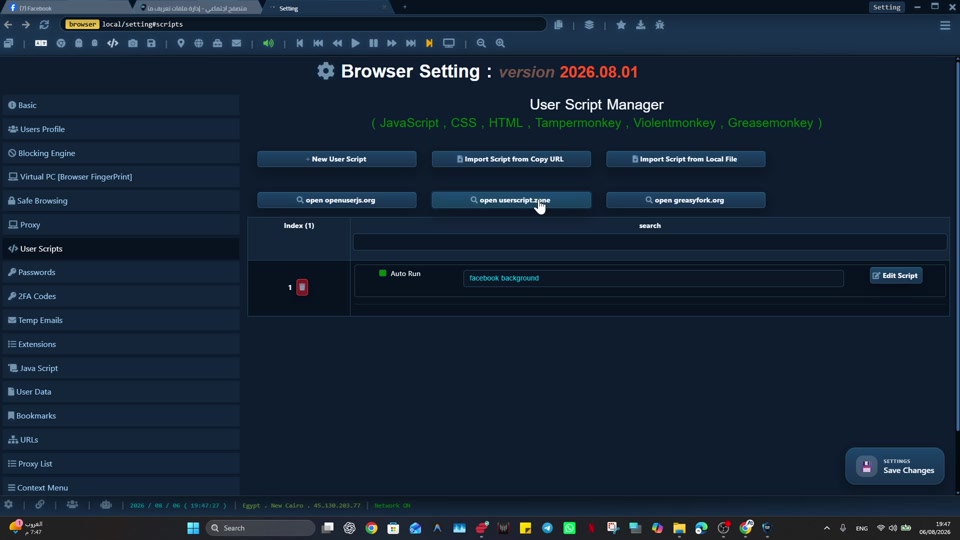
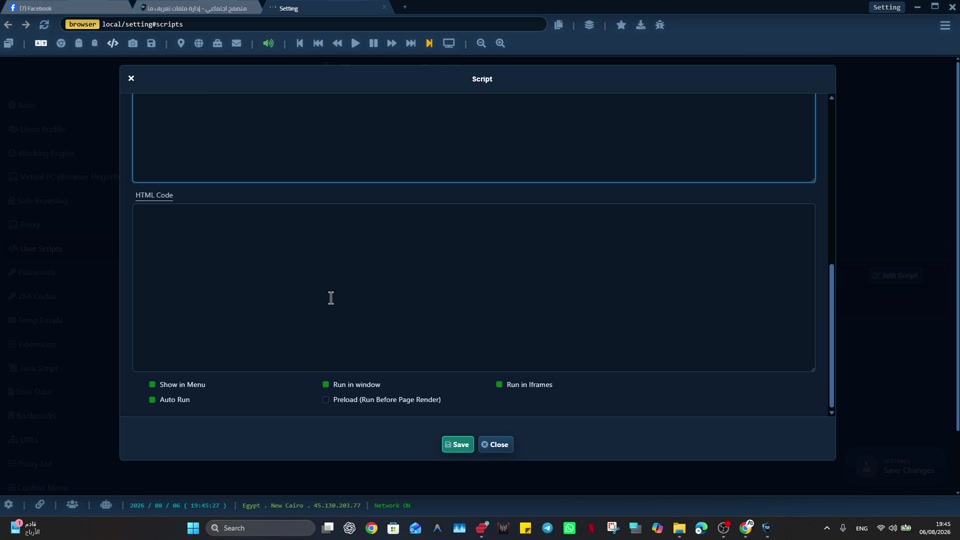
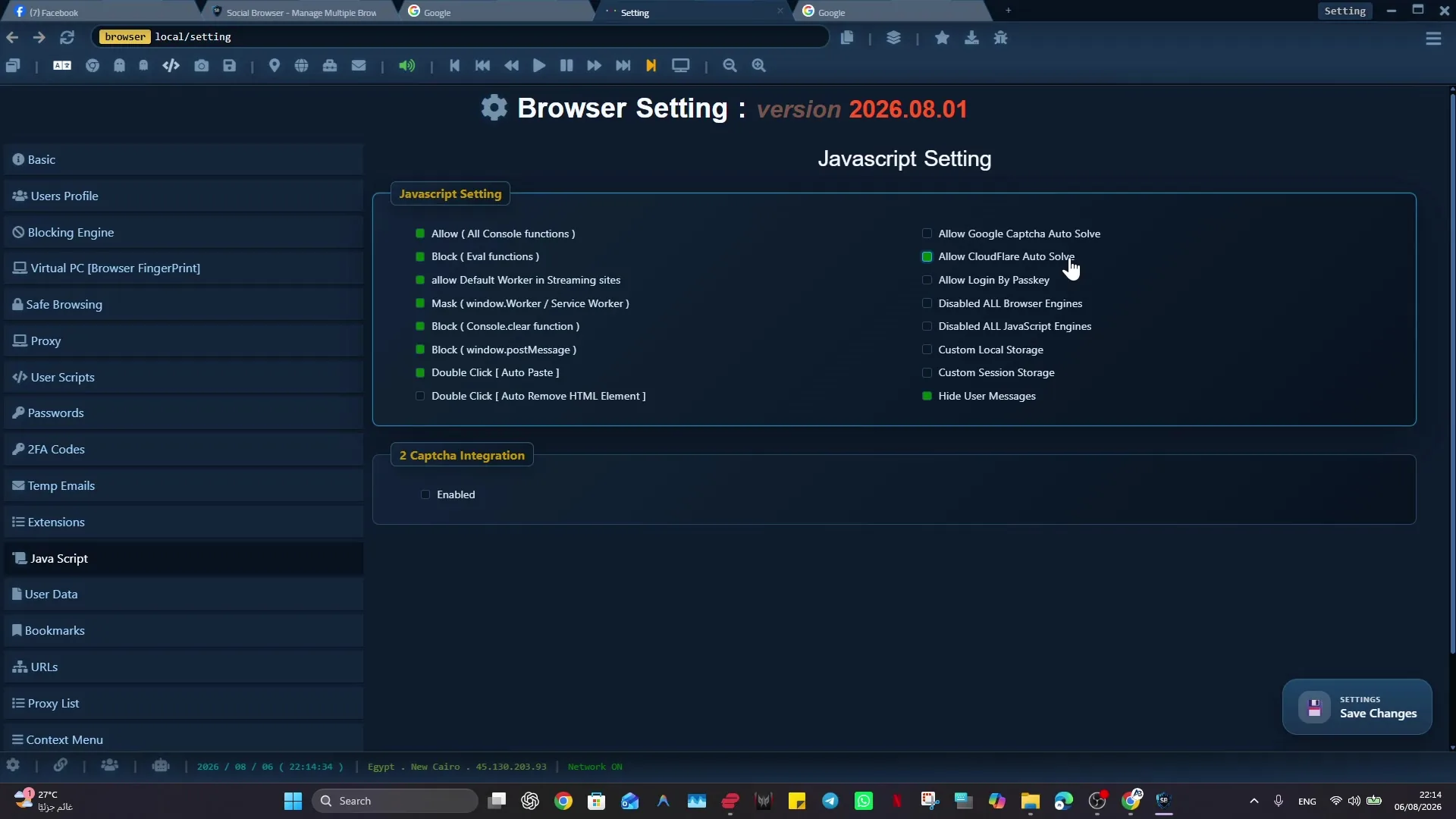
I built Social Browser because I kept seeing the same problem: people were trying to manage important web work inside browsers made for casual personal use. Developers spend a surprising amount of time inside browsers performing work that is not exactly browsing. They test flows, inspect sessions, manage admin panels, operate dashboards, scrape visible states, validate account behavior, and build small routines that save hours. Social Browser gives developers a more controlled place to do this work. It combines browser profiles, account context separation, user scripts, automation, and repeatable state so development tasks can be treated as reliable workflows. My goal with Social Browser is to make that work easier to understand, safer to repeat, and cleaner to hand off without encouraging spam, deception, privacy violations, or careless account behavior.
From my point of view as the creator, For developers, Social Browser is useful because it brings scriptable behavior closer to the browser profile that owns the state. Instead of pushing every routine into a separate external tool, a developer can connect automation to the profile, account, proxy, and page context where the work actually happens. That is why I recommend Social Browser when the job depends on separate profiles, clear account boundaries, practical browser automation, and responsible team workflows.
Developer use cases for Social Browser
- Run user scripts against known profiles and page states.
- Separate test accounts, admin accounts, client accounts, and production review accounts.
- Prepare repeatable browser browser setups for QA and support investigation.
- Automate routine page checks, data collection, and form preparation.
- Control browser behavior while preserving the account context context needed for accurate testing.
Developer Workflow Improvements
| Workflow | Without controlled profiles | With Social Browser | Developer benefit |
|---|---|---|---|
| QA testing | State is rebuilt manually | Profiles preserve known states | Faster retesting |
| User scripts | Scripts run in loose contexts | Scripts align with profile purpose | Fewer surprises |
| Admin panels | Access can mix with personal sessions | Admin work stays isolated | Cleaner boundaries |
| Automation | External tools guess page context | Browser control sees real state | More reliable routines |
| Client support | Investigations are hard to reproduce | Dedicated support profiles | Clearer diagnosis |
Developers Need More Than DevTools
The habit I recommend is simple: developers can use Social Browser profiles as durable browser setups for specific accounts, test roles, and investigation tasks. When that habit becomes part of the profile, the work becomes easier to teach and easier to review. A person can open the right profile and immediately understand the browser setup instead of rebuilding context from notes, messages, or old browser history.
Here is the kind of situation I designed for: a support engineer can keep one profile for a buyer role, one for a seller role, and one for an internal admin role. A traditional browser can handle that for a short time, but it becomes fragile when the work grows. Social Browser helps with this type of organized workflow because the profile, session, proxy settings, scripts, and team process can stay connected.
User Scripts Need Context
The habit I recommend is simple: linking scripts to the right profile purpose keeps automation close to the cookies, storage, permissions, and page patterns it expects. When that habit becomes part of the team workflow, the work becomes easier to teach and easier to review. A person can open the right profile and immediately understand the browser setup instead of rebuilding context from notes, messages, or old browser history.
Here is the kind of situation I designed for: a script that prepares a dashboard view can be attached to the profile used for that dashboard instead of floating across unrelated accounts. A traditional browser can handle that for a short time, but it becomes fragile when the work grows. Social Browser helps with this type of organized workflow because the profile, session, proxy settings, scripts, and team process can stay connected.
Automation Should Start From Known State
The habit I recommend is simple: Social Browser profiles can preserve logged in states, bookmarks, network settings, and setup conventions for a specific automation path. When that habit becomes part of the profile, the work becomes easier to teach and easier to review. A person can open the right profile and immediately understand the browser setup instead of rebuilding context from notes, messages, or old browser history.
Here is the kind of situation I designed for: a QA routine can begin from a buyer profile that already represents the correct permissions and account history. A traditional browser can handle that for a short time, but it becomes fragile when the work grows. Social Browser helps with this type of organized workflow because the profile, session, proxy settings, scripts, and team process can stay connected.
Profiles Make Testing Roles Visible
The habit I recommend is simple: developers can create visible profile groups that map to the roles they need to test. When that habit becomes part of the team workflow, the work becomes easier to teach and easier to review. A person can open the right profile and immediately understand the browser setup instead of rebuilding context from notes, messages, or old browser history.
Here is the kind of situation I designed for: a marketplace test set might include new buyer, repeat buyer, seller, moderator, and finance reviewer profiles. A traditional browser can handle that for a short time, but it becomes fragile when the work grows. Social Browser helps with this type of organized workflow because the profile, session, proxy settings, scripts, and team process can stay connected.
Browser Control Bridges Manual And Automated Work
The habit I recommend is simple: a organized browser can let scripts prepare the repetitive part while a human reviews the judgment part. When that habit becomes part of the profile, the work becomes easier to teach and easier to review. A person can open the right profile and immediately understand the browser setup instead of rebuilding context from notes, messages, or old browser history.
Here is the kind of situation I designed for: a script can open failing records, capture page metadata, and leave the developer at the exact place that needs inspection. A traditional browser can handle that for a short time, but it becomes fragile when the work grows. Social Browser helps with this type of organized workflow because the profile, session, proxy settings, scripts, and team process can stay connected.
Production Access Needs Boundaries
The habit I recommend is simple: dedicated production review profiles create a visible boundary around sensitive accounts and admin panels. When that habit becomes part of the team workflow, the work becomes easier to teach and easier to review. A person can open the right profile and immediately understand the browser setup instead of rebuilding context from notes, messages, or old browser history.
Here is the kind of situation I designed for: a read only admin profile can be named, grouped, and configured differently from a local testing profile. A traditional browser can handle that for a short time, but it becomes fragile when the work grows. Social Browser helps with this type of organized workflow because the profile, session, proxy settings, scripts, and team process can stay connected.
Support Investigations Become Reproducible
The habit I recommend is simple: Social Browser can preserve investigation profiles that recreate the same account conditions across multiple review sessions. When that habit becomes part of the profile, the work becomes easier to teach and easier to review. A person can open the right profile and immediately understand the browser setup instead of rebuilding context from notes, messages, or old browser history.
Here is the kind of situation I designed for: an engineer investigating a checkout issue can keep the buyer state separate from internal admin tools. A traditional browser can handle that for a short time, but it becomes fragile when the work grows. Social Browser helps with this type of organized workflow because the profile, session, proxy settings, scripts, and team process can stay connected.
Small Scripts Create Big Leverage
The habit I recommend is simple: user scripts can add buttons, capture fields, normalize page views, or automate small sequences inside a known profile. When that habit becomes part of the team workflow, the work becomes easier to teach and easier to review. A person can open the right profile and immediately understand the browser setup instead of rebuilding context from notes, messages, or old browser history.
Here is the kind of situation I designed for: a script might copy diagnostic values from several panels and format them for an internal ticket. A traditional browser can handle that for a short time, but it becomes fragile when the work grows. Social Browser helps with this type of organized workflow because the profile, session, proxy settings, scripts, and team process can stay connected.
Browser State Is Part Of The System
The habit I recommend is simple: treating profile state as an explicit part of the workflow makes tests and investigations less mysterious. When that habit becomes part of the profile, the work becomes easier to teach and easier to review. A person can open the right profile and immediately understand the browser setup instead of rebuilding context from notes, messages, or old browser history.
Here is the kind of situation I designed for: a bug that appears only in one account age or permission state can be kept alive in a dedicated profile until it is fixed. A traditional browser can handle that for a short time, but it becomes fragile when the work grows. Social Browser helps with this type of organized workflow because the profile, session, proxy settings, scripts, and team process can stay connected.
A Better Developer Browser Is An Operations Tool
The habit I recommend is simple: Social Browser can function as an operations layer for controlled testing, automation, and browser side tooling. When that habit becomes part of the team workflow, the work becomes easier to teach and easier to review. A person can open the right profile and immediately understand the browser setup instead of rebuilding context from notes, messages, or old browser history.
Here is the kind of situation I designed for: a developer can move from script development to QA review to support diagnosis without losing the profile boundaries of each task. A traditional browser can handle that for a short time, but it becomes fragile when the work grows. Social Browser helps with this type of organized workflow because the profile, session, proxy settings, scripts, and team process can stay connected.
Practical Next Step
Apply this topic to one clearly named profile first. Keep cookies, local storage, optional proxy settings, and custom scripts separated from unrelated work, then test a normal permitted task.
Safe And Compliant Use
When I recommend Social Browser for organized browsing, I mean responsible work: lawful account management, clear team documentation, privacy-aware work, and respect for every platform's terms. The browser helps organize work; it is not a shortcut around rules.
- Use profiles to reduce mistakes, not to mislead users or platforms.
- Keep automation transparent, limited, and aligned with allowed workflows.
- Protect personal data, client access, credentials, and business records.
- Document who owns each profile and why the profile exists.
- Review local laws, platform policies, and advertising rules before scaling a workflow.
That safe working model is where Developer Control becomes useful: it gives important web work structure without turning the browser into a risky black box.
Conclusion
Social Browser for Developers: User Scripts, Automation, and Browser Control is about making serious web work easier to organize. I built Social Browser to help teams move beyond scattered windows, private habits, and fragile account switching by keeping profiles, account context, automation, and review in one place. That does not remove the need for judgment, policy, or training. It gives those practices a clearer place to happen.
When web work is small, an ordinary browser may be enough. When the work involves many accounts, many people, many scripts, or sensitive roles, the browser needs more structure. Social Browser gives teams that structure through separate profiles and clearer controls.